
Create a New Plan
The setup of a new TI Plan can easily be initiated by clicking on the large New Plan icon on the Dashboard.
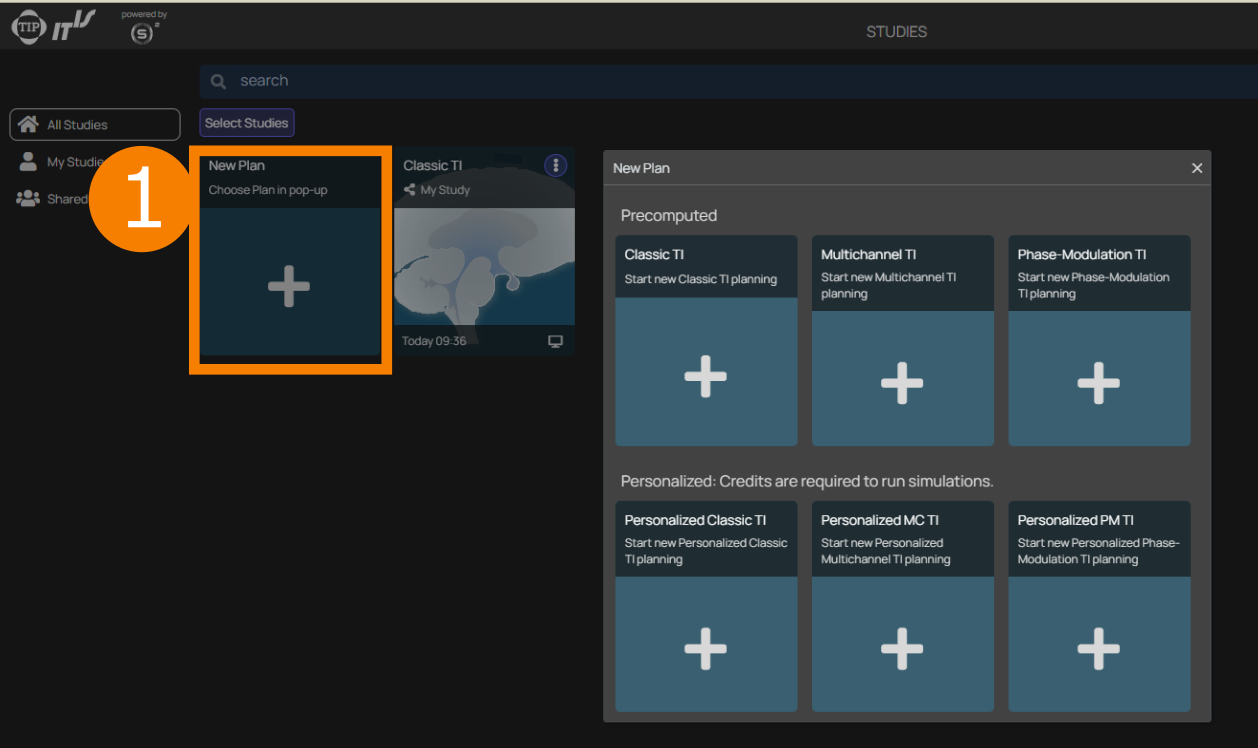
Via the pop-up, six different kinds of planning studies can be initialized, which correspond to the three modes: classic TI, multi-channel TI, and _phase-modulation TI, in both non-personalized and personalized form.
Allow for some time for the study initiation. Once the study is ready, you will have access to the different workflow steps and their views (note: the number of steps depends on the selected plan type — see Workflows for a full overview):
Personalized workflow steps:
- Offline Personalization (optional — for privacy-sensitive workflows)
- File Picker
- Personalizer
- Model Inspector
- Simulator
Available in all plan types: