
File Picker
Summary:
As the first cloud-based step for personalization, provide the data via the File Picker: either a T1-weighted MRI for an isotropic model, a zipped file containing T1, DTI, bval, and bvec files for an anisotropic model, or — when using the Offline Personalization workflow — the anonymized zip archive produced locally by run_personalizer.bat. See Data Quality Requirements for input file specifications.
As the initial step for personalization, the user is asked to provide, in the File Picker, the data to work with. There are two options for the standard workflow: building an isotropic model, which requires a T1-weighted MR image, or an anisotropic model, which requires a DTI with bval and bvec files in addition to the T1. For the anisotropic option, zip these four files together. For an isotropic model, upload the T1 image by itself when no custom targets are needed. If you include custom targets, zip the T1 image together with the matching NIfTI label field and tissue list files. Custom target files can also be included in the anisotropic input ZIP. Users following the Offline Personalization workflow upload the results.zip archive produced by the local run_personalizer.bat tool instead.
Isotropic
- 📃
subject_t1.nii.gz - Optional custom target (include in ZIP with T1):
- 📃
Targets_Custom.nii.gz - 📃
Targets_Custom.txt
Anisotropic
- 📂
input_data.zip/ - 📃
subject_t1.nii.gz - 📃
subject_dti.nii.gz - 📃
subject_dti.bvec - 📃
subject_dti.bval - Optional custom target:
- 📃
Targets_Custom.nii.gz - 📃
Targets_Custom.txt
Offline Personalization
- 📂
results.zip/ - 📃
subject.smash - 📃
subject_t1.nii.gz - 📃
subject_t1_resampled.nii.gz - 📃
subject.sab - 📃
subject.sat - 📃
targets_list.yaml - 📃
tensor_s4l.nii.gz - 📃
labelfield_subject.nii.gz - 📃
labelfield_subject.txt
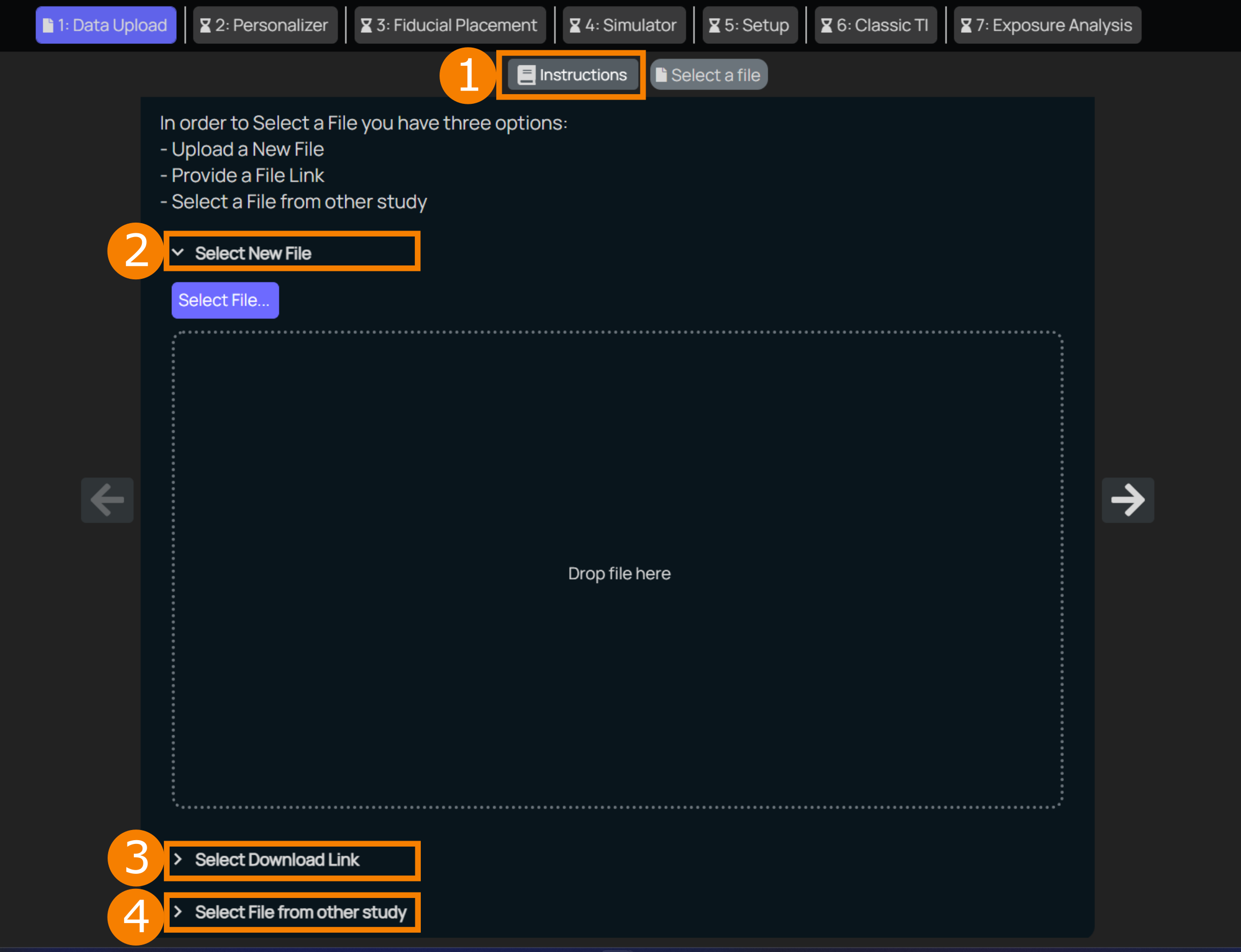
Data Instructions A brief summary of what files and formats are needed, image quality recommendations and a reminder to anonymize the data before uploading.
Upload Option 1 Select a file using the file explorer by clicking on
Select Fileor directly drag and drop the data to the designated area.Upload Option 2 If the data is already available online somewhere (eg. Google Drive or Dropbox), given that the sharing is set to public, the link can be provided.
Upload Option 3 In case data already uploaded to TIP in a different study shall be reused, it can be selected from TIP's data explorer.